


Applicable Scope
This guide applies to Gate Web
Before you start: Ensure you have sufficient USDT balance in your spot account and have reviewed the Pre-Market announcement for specific token details
Estimated time: 5 m
Objective
This guide will walk you through how to mint PreTokens and trade them in the PreToken spot market on Gate Web.
Steps
Step 1: Access Pre-Market Trading
- Visit the Gate Website.
- Click "Pre-Market Trading" from the navigation menu.
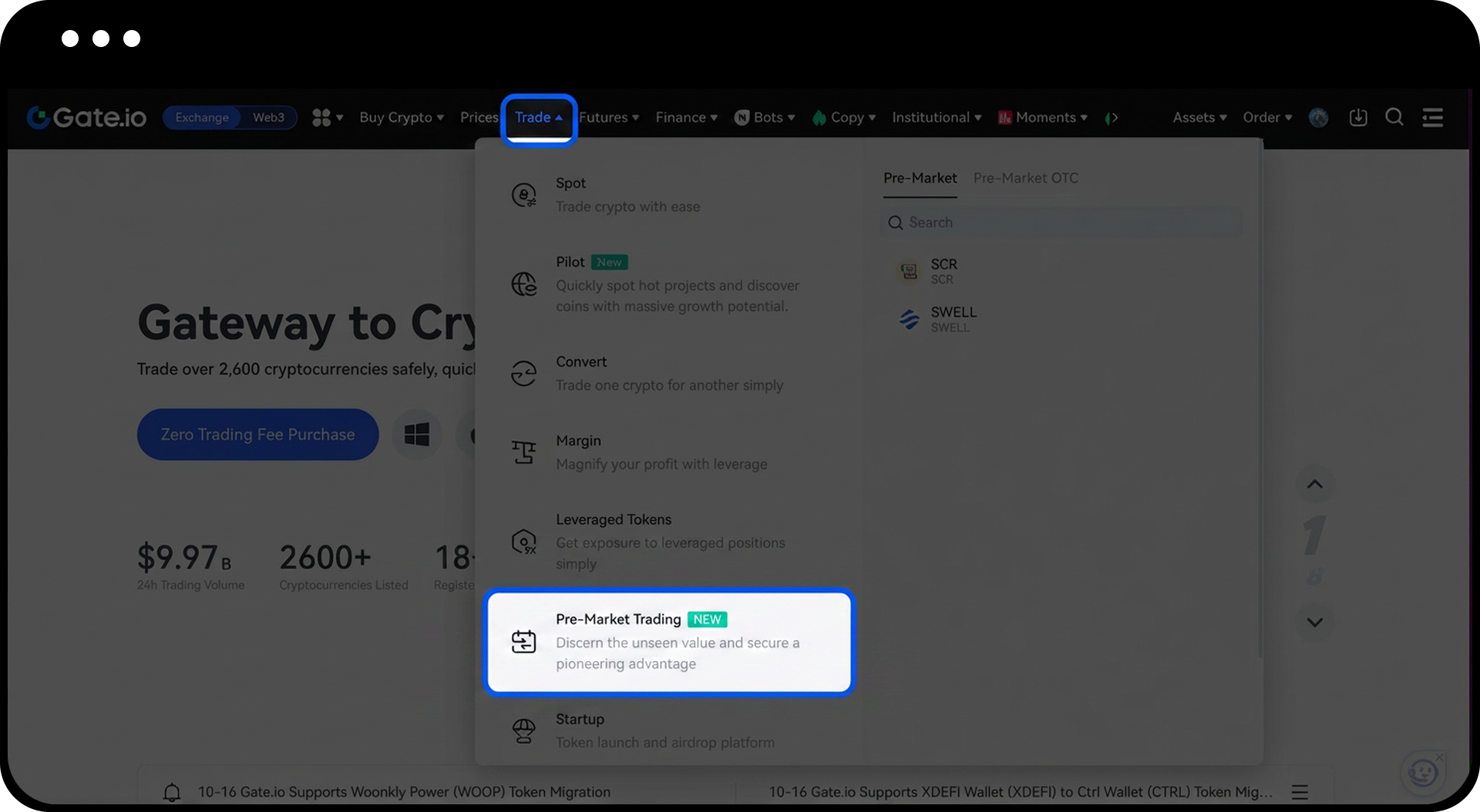
Step 2: Select PreToken for Minting
- Browse the available PreTokens in the Pre-Market section.
- Choose the PreToken you want to mint.
- Click "Mint Now".
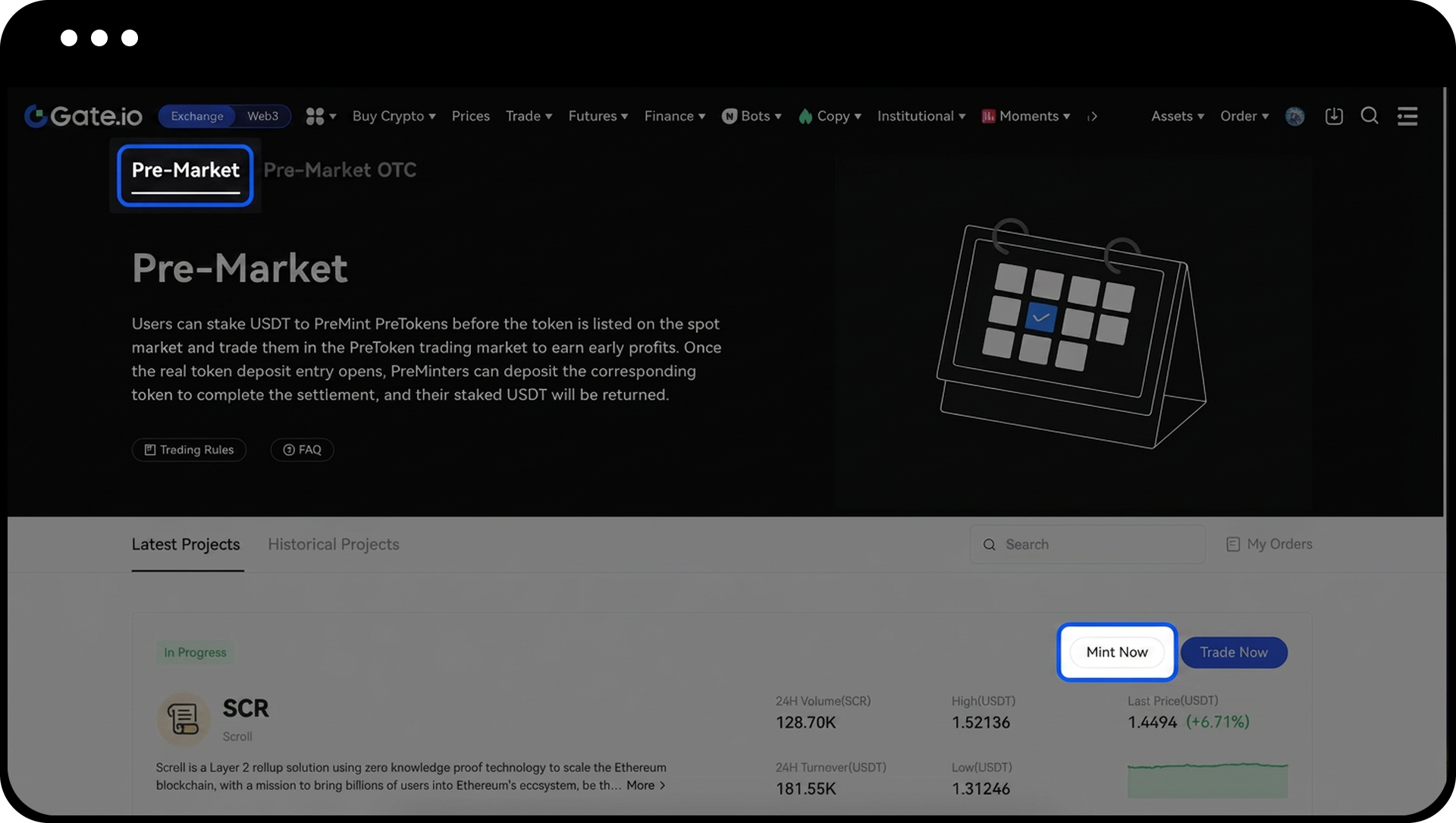
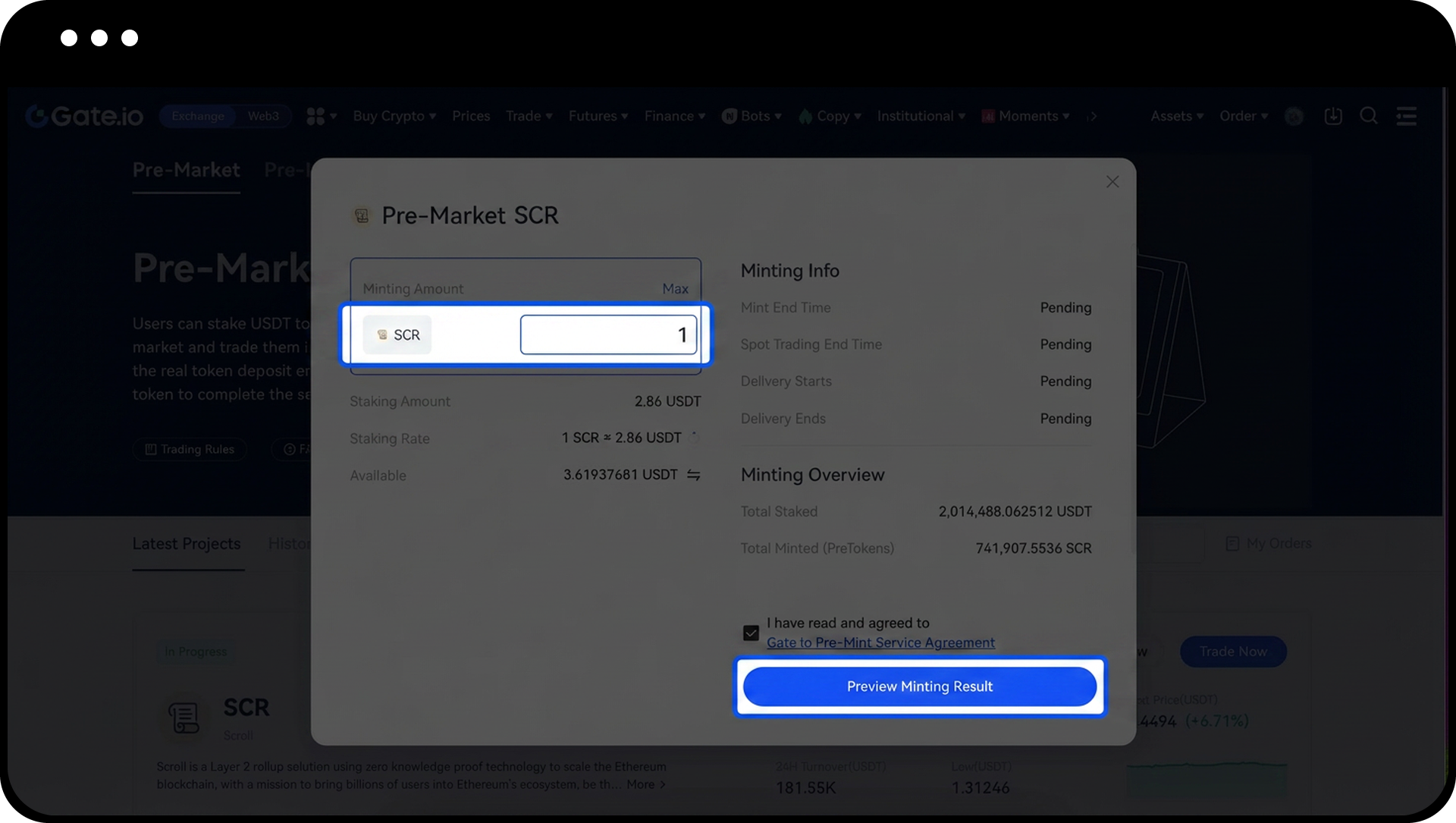
Step 3: Configure Your Minting Order
- Enter the amount of PreToken you want to mint.
- Click "Preview Minting Results" to review the order details.
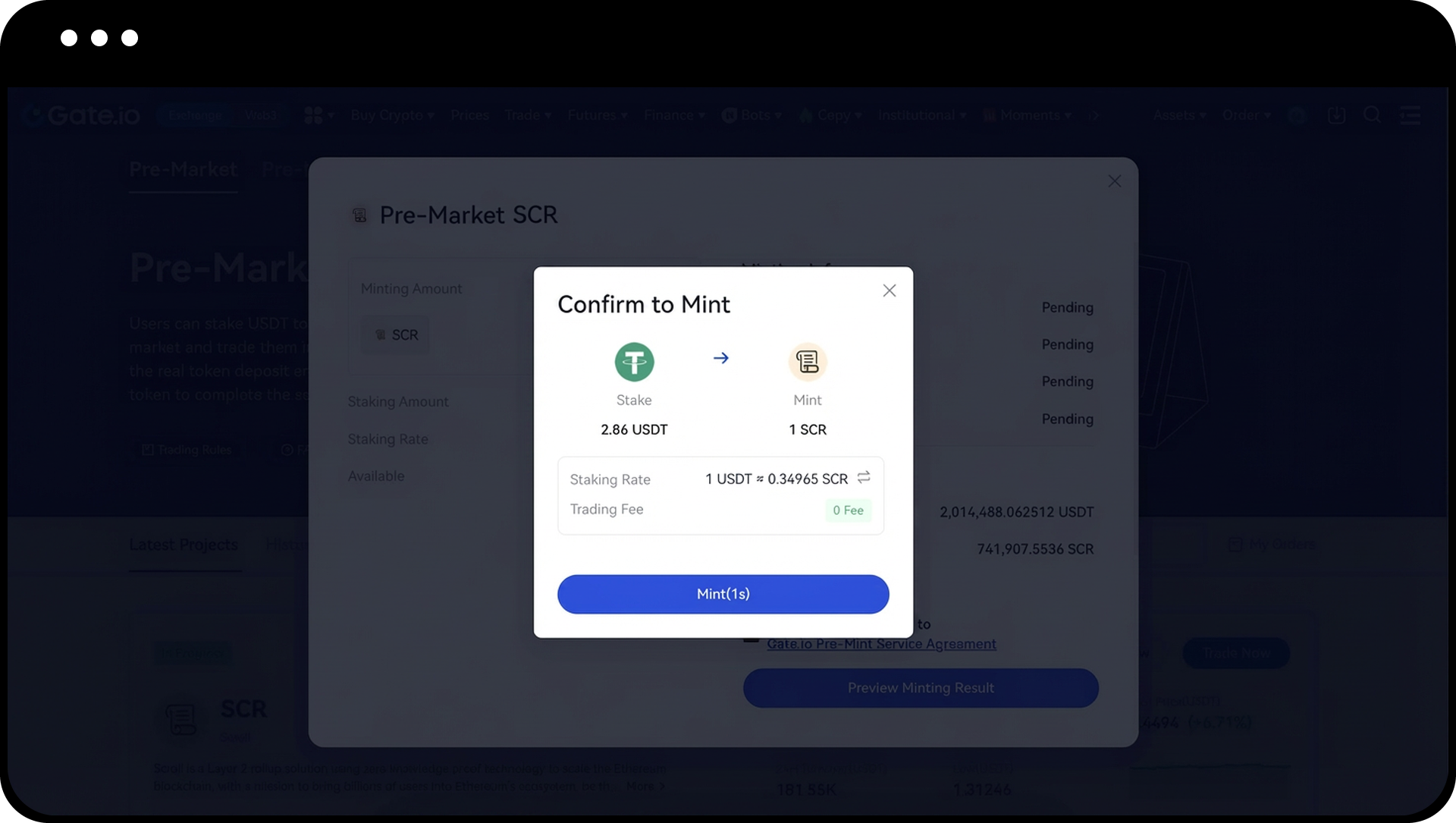
- Verify the staking amount and expected PreToken quantity.
- Click "Mint" to confirm and execute the order.
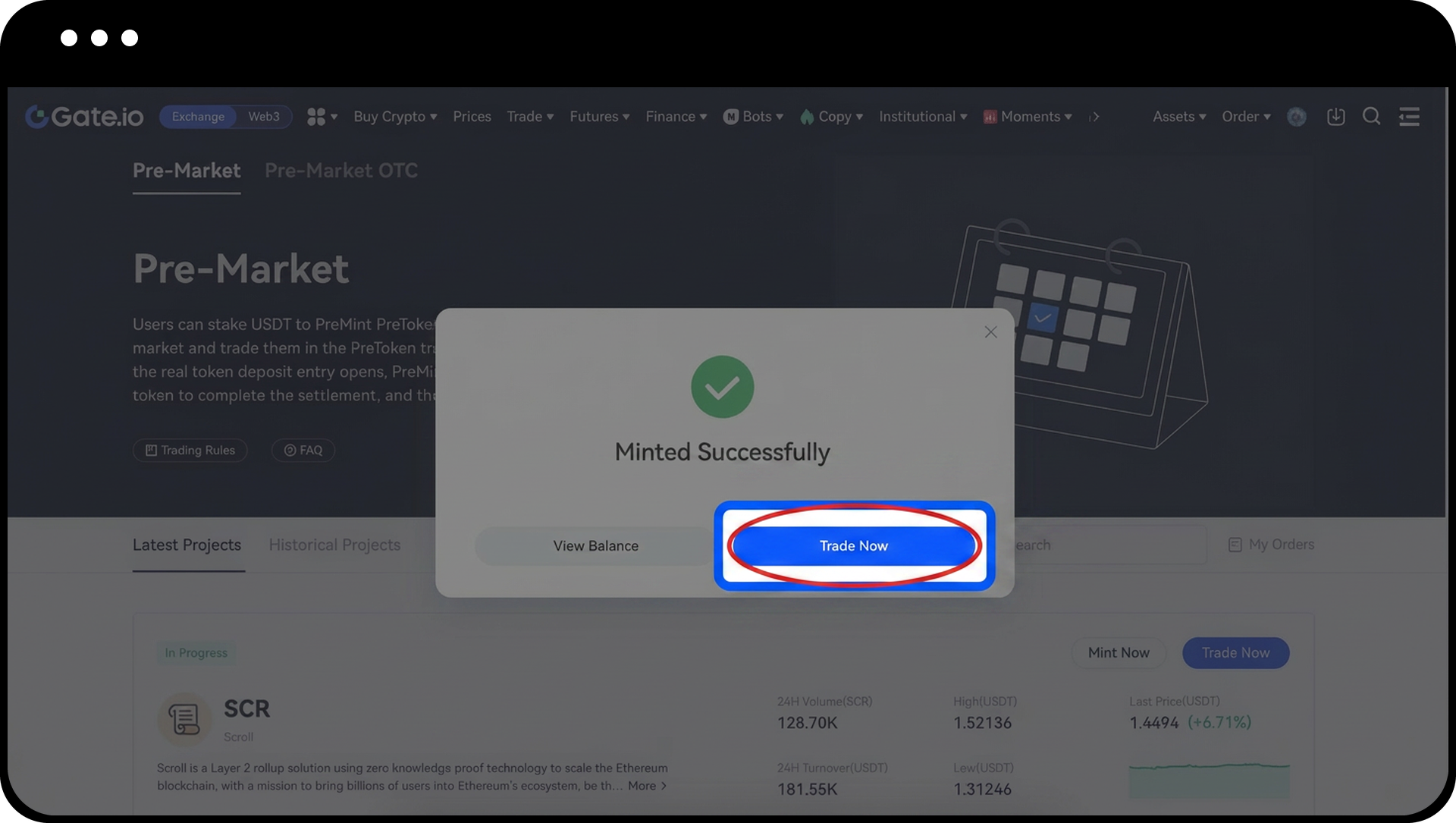
Step 4: Access PreToken Spot Market
- Return to the Pre-Market Trading page.
- Select the PreToken you wish to trade.
- Click "Trade Now" to enter the PreToken spot market.
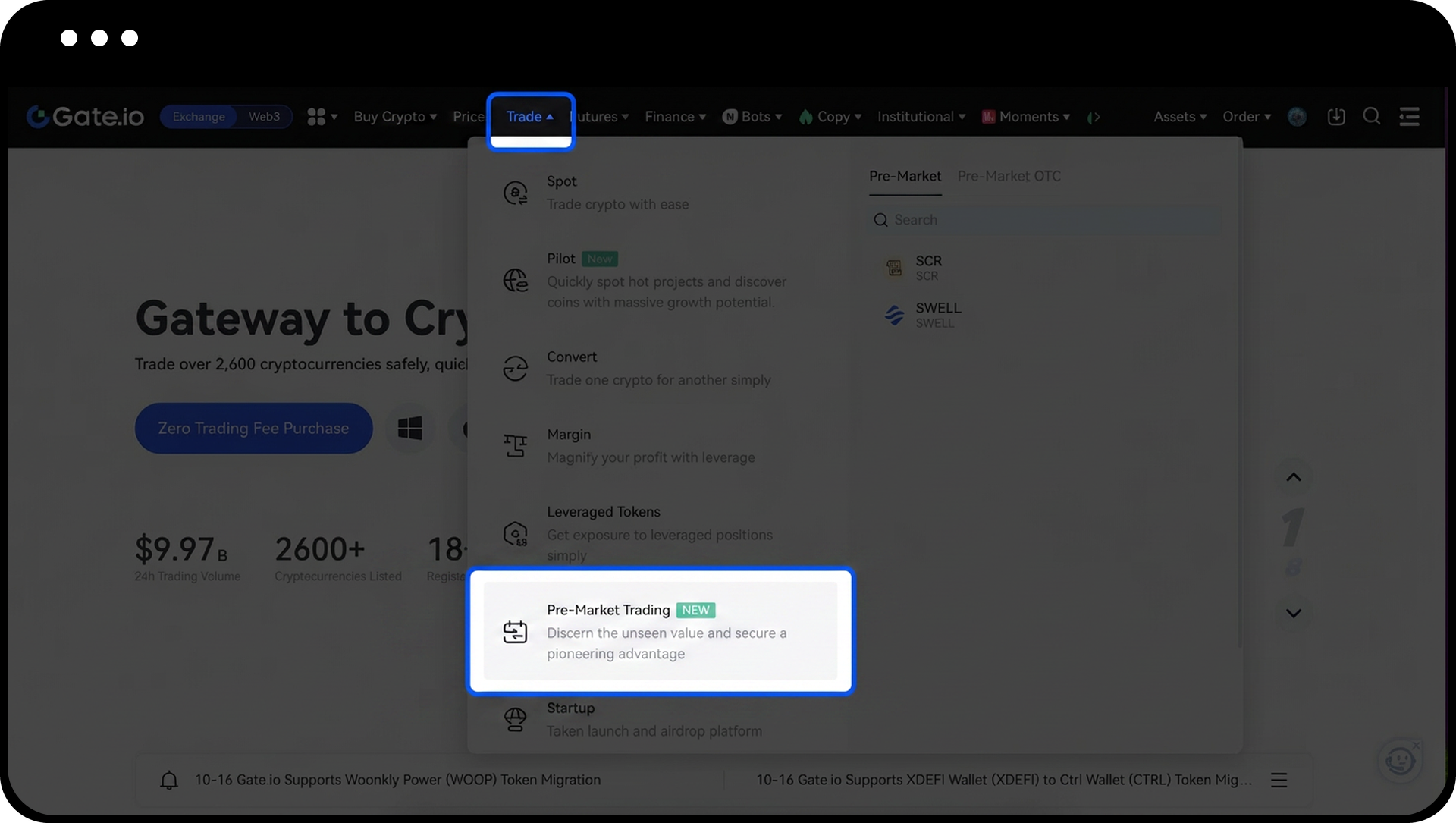
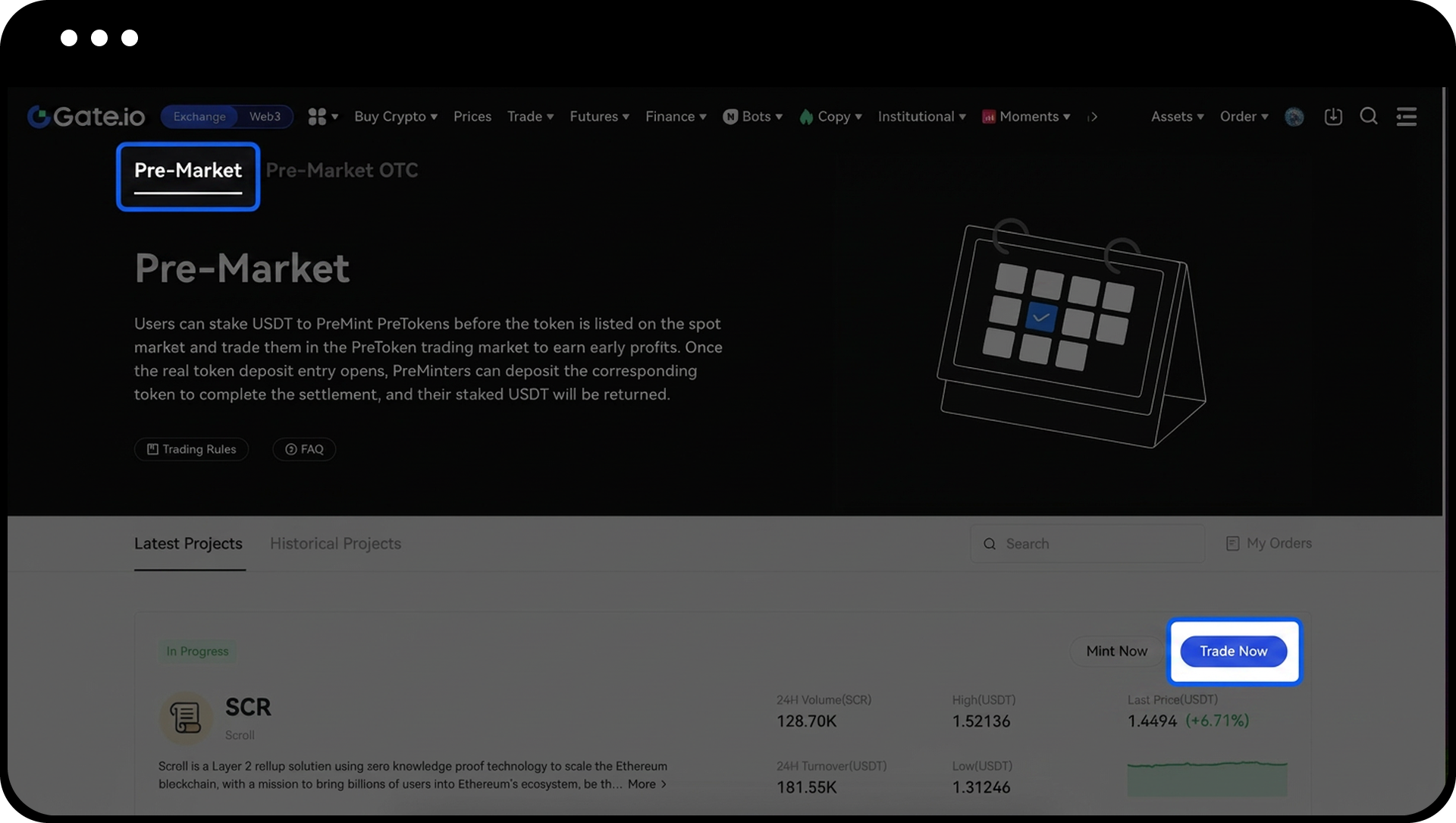
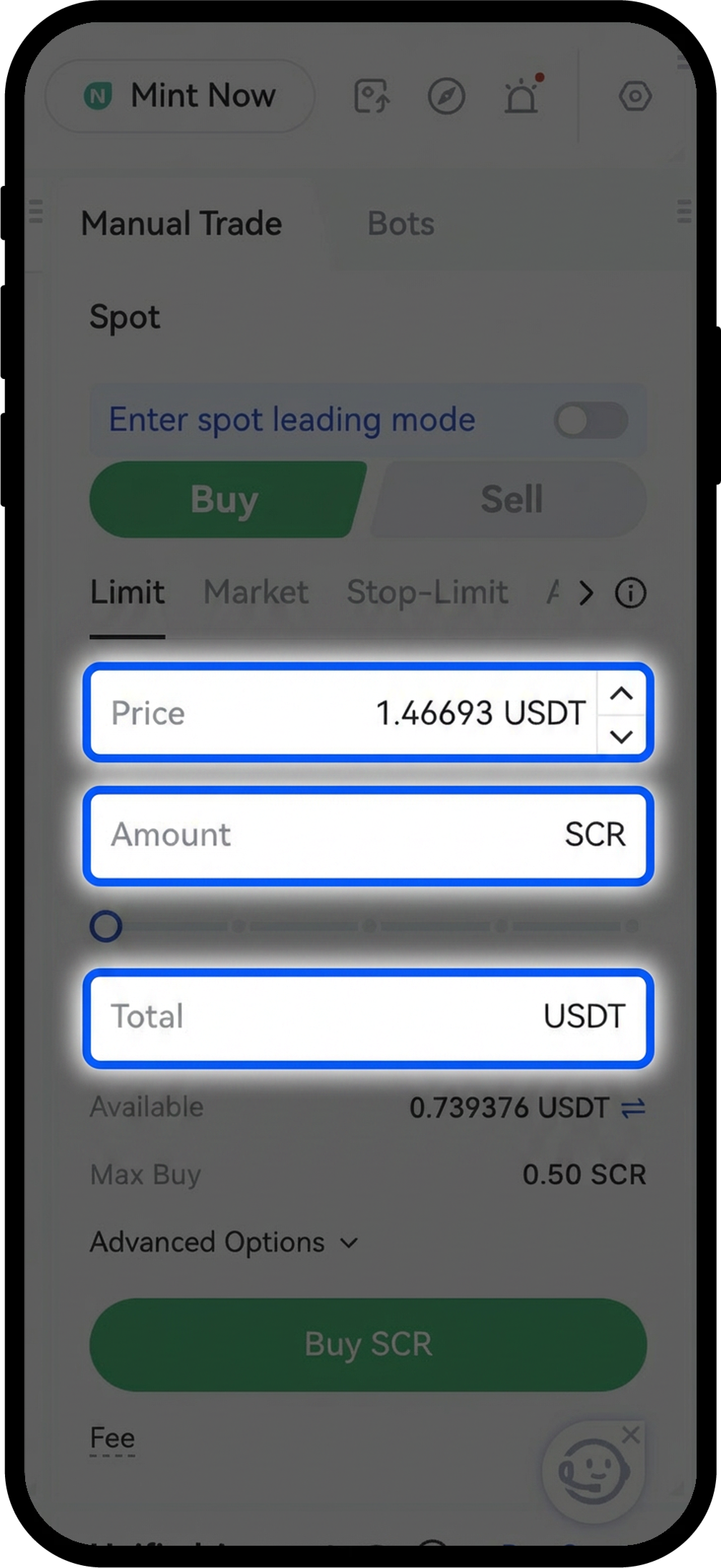
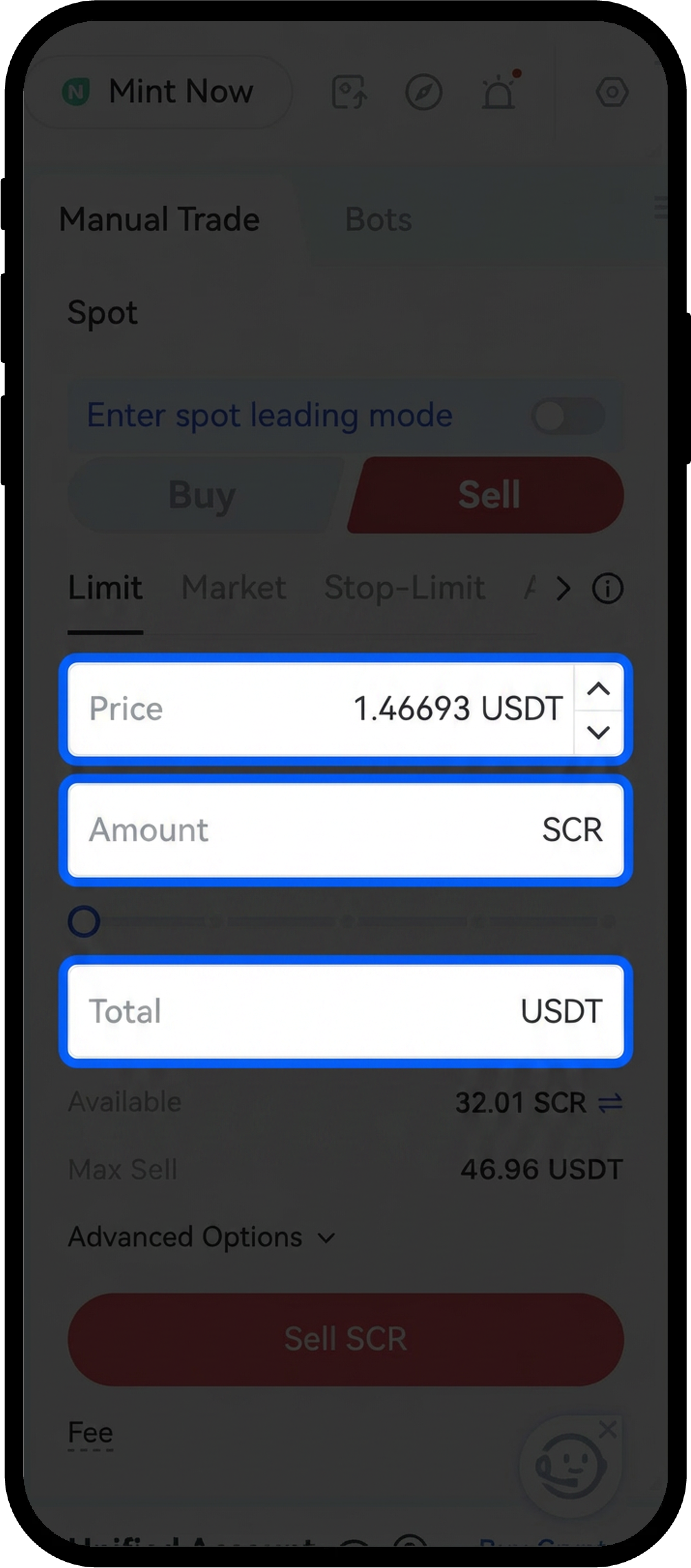
Step 5: Place a Trade Order
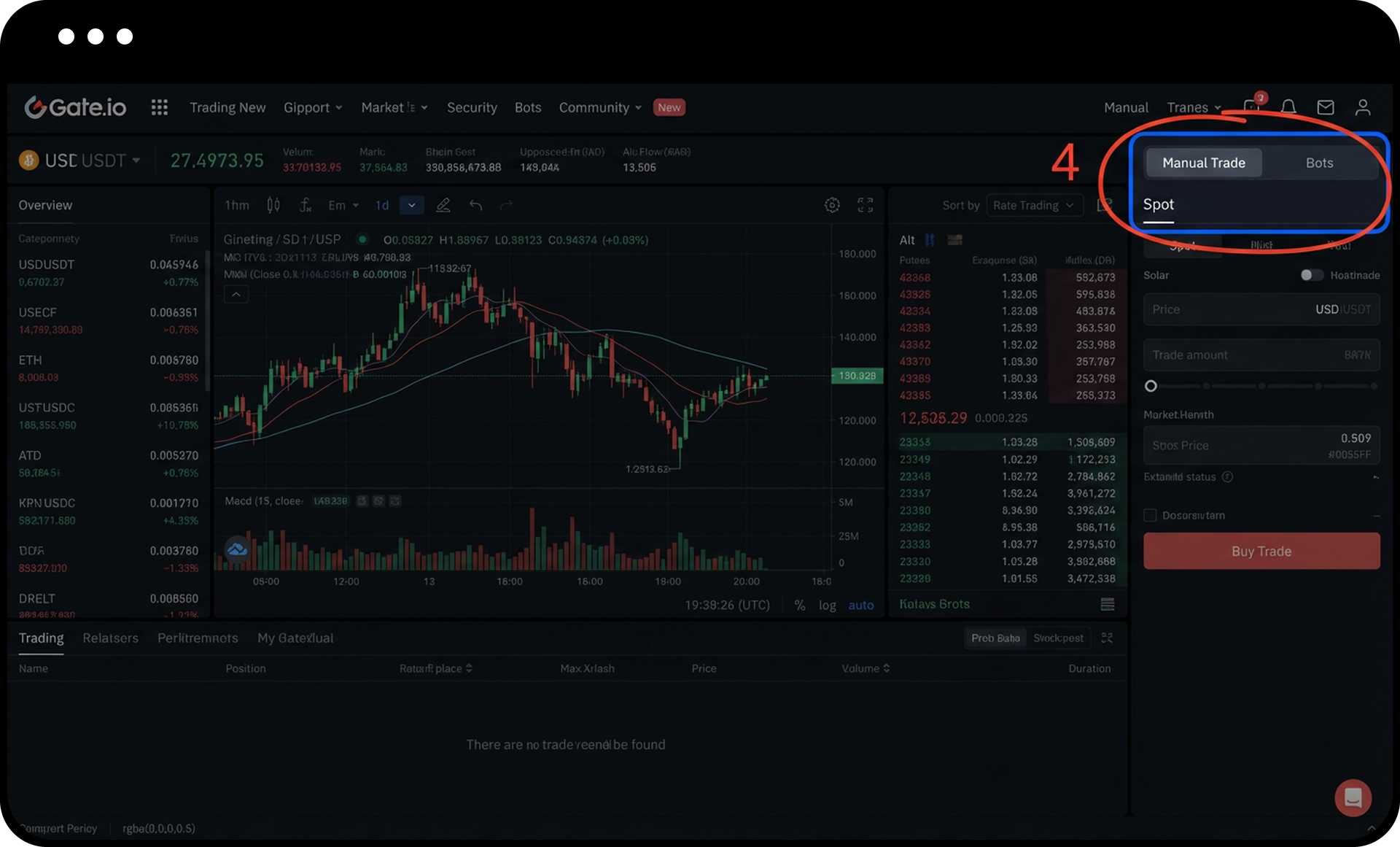
- In the trading interface, enter your desired order details:
- Order price
- Amount of PreToken
- Total value
- Select "Buy" or "Sell" based on your trading intention.
- Review the order details.
- Click "Buy" or "Sell" to place the order.
Notes
- The minting entry and PreToken spot market open within a specific timeframe after Pre-Market OTC trading begins. Check the Pre-Market announcement for exact timing.
- PreTokens are minted by staking USDT, which will be locked until the minting period ends or settlement occurs.
- PreToken spot trading follows the same rules as regular spot trading pairs on Gate.
- Product features, interfaces, and fee structures may be updated at any time. Refer to the latest announcements for current information.
- Digital asset investments carry significant risk. Prices may fluctuate substantially, and you may lose your entire investment.
FAQ
Q1: When does the PreToken minting function become available?
A: The minting entry opens within a specified period after Pre-Market OTC trading starts. Please refer to the specific Pre-Market announcement for the exact opening time for each token.
Q2: Can I cancel my minting order after submission?
A: Minting order cancellation policies vary by Pre-Market event. Please check the specific Pre-Market announcement or rules page for cancellation terms and conditions.
Q3: What happens to my staked USDT after minting PreTokens?
A: Your staked USDT is locked during the minting period and will be handled according to the Pre-Market settlement rules, which are detailed in each Pre-Market announcement.
Q4: Is there a minimum amount required to mint PreTokens?
A: Minimum minting amounts may vary for different PreTokens. The system will display the minimum requirement when you enter the minting order interface.
Disclaimer
The content provided herein is for reference and educational purposes only and does not constitute any financial, investment, trading, or legal advice, nor does it constitute an offer or solicitation to buy or sell any digital assets. Gate makes no express or implied representations or warranties regarding the accuracy, completeness, or timeliness of the information contained herein. Product features, interfaces, rules, and fee structures may be updated or adjusted at any time. Please refer to the latest announcements and the actual information displayed on the Gate platform for the most accurate details.
Digital asset investments involve significant risk, and prices may fluctuate substantially. You may lose the entire amount of your investment. Please make decisions cautiously based on your own financial situation and risk tolerance after fully understanding the associated risks. If necessary, you are advised to consult an independent professional financial or legal advisor.
For more information about potential risks, please refer to Gate's Risk Disclosure and User Agreement.
